
One WhatsApp number can become a bottleneck when a business grows.
If one employee handles every inquiry, customers wait longer. If several employees use different devices without a clear process, conversations can become duplicated or lost.
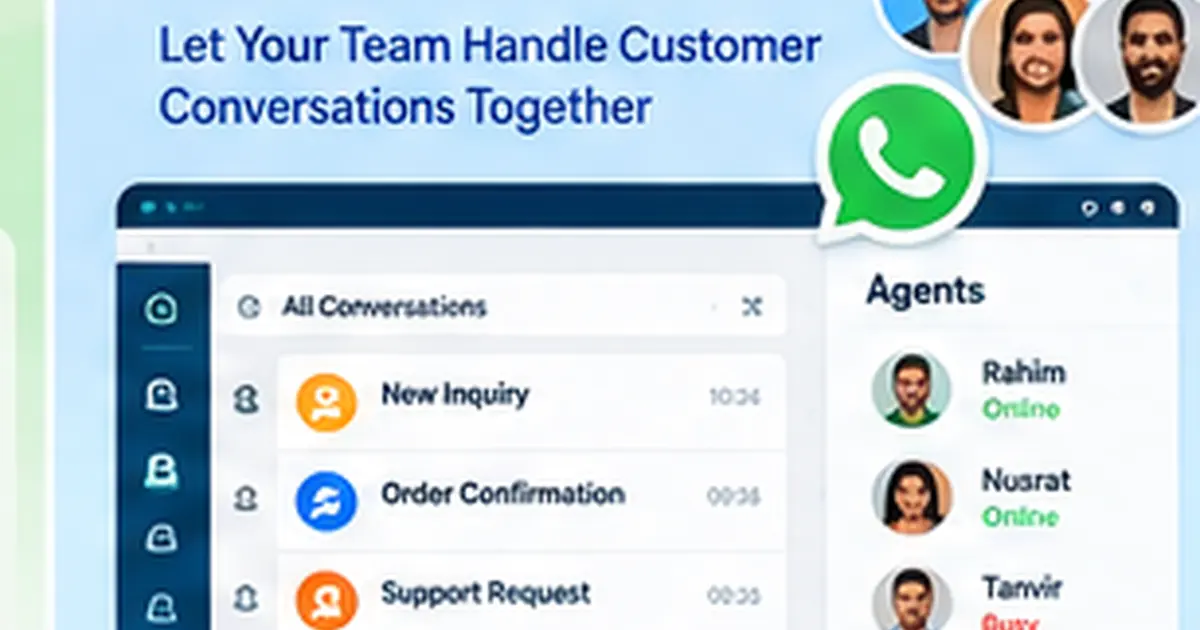
A multi-agent WhatsApp system gives businesses a shared workspace where multiple employees can handle customer conversations with clearer ownership.
What Is Multi-Agent WhatsApp?
Multi-agent WhatsApp means multiple authorized team members can work with customer WhatsApp conversations through a business platform.
The platform can provide features such as:
- agent accounts
- conversation assignment
- labels
- internal notes
- status tracking
- automation
- customer history
- performance visibility
This is different from simply passing a phone between employees.
Why Businesses Need a Shared WhatsApp Inbox
As message volume grows, common problems include:
- two agents replying to the same customer
- no one replying because each person assumes someone else will
- important leads remaining unread
- customer history staying with one employee
- managers not knowing who handled a conversation
- support requests mixing with sales inquiries
A shared inbox creates a clearer operating process.
InboxWhats Multi-Agent Workspace
InboxWhats publicly lists agent inbox, assignments, labels, notes, filters, tasks and Kanban-style workflow tools.
These features can help companies organize team communication around customer conversations.
Assign Conversations by Department
A company may have several customer-facing teams.
For example:
Sales: new inquiries and quotations
Support: existing customer problems
Billing: payment questions
Admission: course or student inquiries
Technical: product setup or troubleshooting
A routing process can send each conversation to the right team.
Use Labels to Organize Conversations
Labels give agents quick context.
Examples:
- New lead
- Hot lead
- Follow up
- Order pending
- Paid
- Support
- Complaint
- VIP
- Closed
Labels should match the business process rather than becoming a long list no one uses.
Add Internal Notes
Customers should not need to repeat the same story every time the assigned agent changes.
Internal notes can record context for the team.
For example:
"Customer wants 50-user CRM. Proposal discussed. Follow up Thursday."
This makes handover easier.
Combine Agents with AI
Not every incoming message requires a human immediately.
Automation or AI can handle the first step:
- greeting
- FAQ
- collecting basic information
- identifying intent
- asking department-related questions
The conversation can then be assigned to a human agent with more context.
This can reduce repetitive agent work.
Agent Handoff Should Be Clear
A customer should not feel that the system has suddenly stopped responding.
When automation hands a conversation to an agent, the workflow should communicate clearly.
For example:
"Thank you. I have your details. A member of our sales team will continue this conversation."
Multi-Agent WhatsApp for Sales Teams
Sales teams can use a shared inbox to:
- receive new inquiries
- assign leads
- track follow-up
- see customer history
- avoid duplicate contact
- move leads through stages
This makes WhatsApp part of a repeatable sales workflow.
Multi-Agent WhatsApp for Customer Support
Support teams can organize conversations by issue and ownership.
A business can route billing issues differently from technical problems or general questions.
The important point is that the customer should not have to find the right employee manually.
Manager Visibility
A shared system can give managers a clearer view of how customer communication is being handled.
Useful questions include:
- How many conversations are waiting?
- Which agent owns each chat?
- Which leads need follow-up?
- Where are delays happening?
This is difficult when customer conversations remain inside personal devices.
Multi-Agent WhatsApp for Bangladesh
Bangladeshi e-commerce, education, software, travel and service businesses often use WhatsApp as a major customer channel.
Once more than one employee is responsible for those messages, a structured team inbox becomes much more useful than an informal phone-based process.
When Should You Move to Multi-Agent WhatsApp?
Consider it when:
- one person cannot keep up
- your company has a sales or support team
- messages are being missed
- leads need assignments
- staff changes create continuity problems
- you need automation or CRM integration
- managers need visibility
Frequently Asked Questions
Can multiple employees use one WhatsApp business workflow?
Yes. Team inbox platforms can allow multiple authorized agents to manage customer conversations through one business workspace.
Can chats be assigned to specific agents?
InboxWhats publicly lists agent assignment features.
Can AI reply before an agent?
AI and automation can be configured to handle initial questions before handoff.
Can agents leave internal notes?
InboxWhats lists notes and team workflow features for organizing conversations.
Is multi-agent WhatsApp useful for small businesses?
It becomes useful when more than one person handles customer communication or message volume is becoming difficult to manage.